
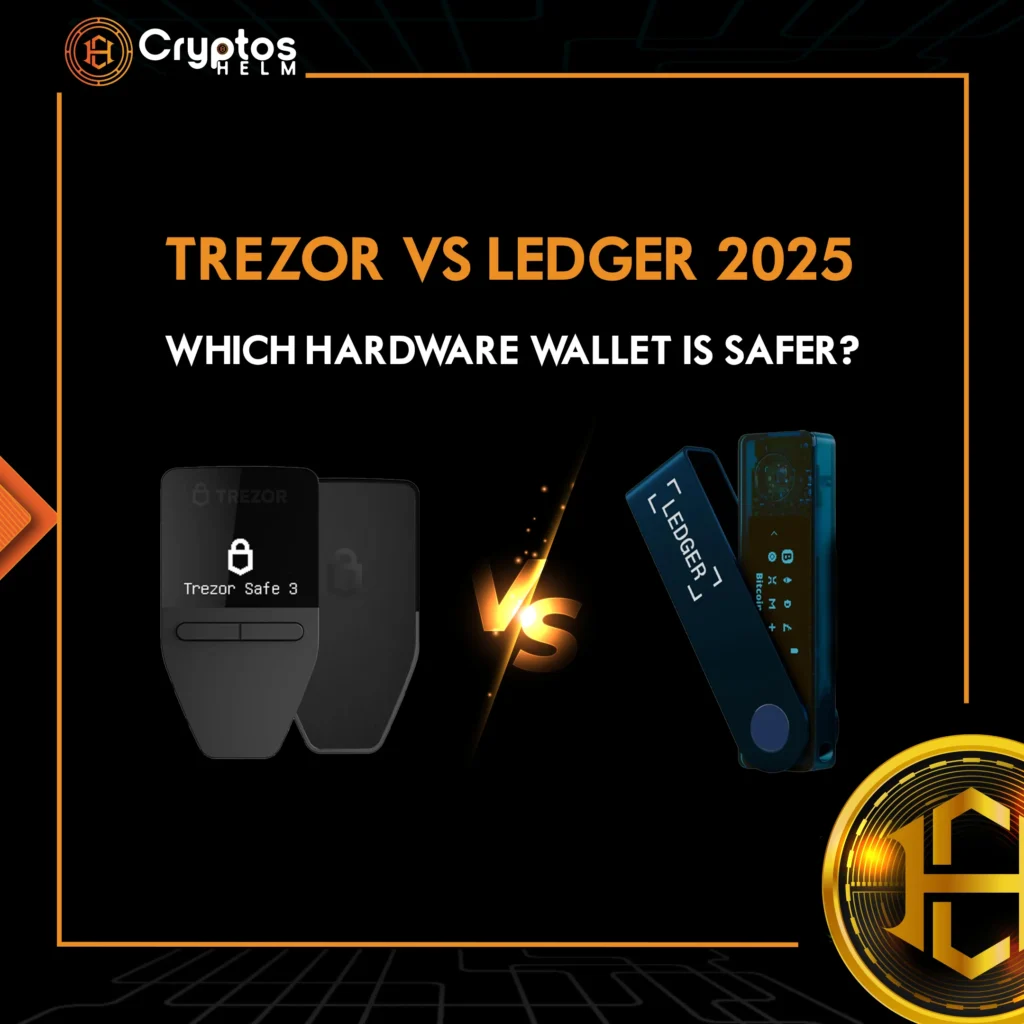
Cryptocurrency security remains the top concern for investors in 2025. With cyber threats evolving and exchange hacks becoming more sophisticated, hardware wallets are essential for protecting digital assets. When choosing between the two industry giants, Ledger and Trezor, which offers better protection?
This comprehensive comparison covers security architecture, supported cryptocurrencies, features, and pricing to help you make an informed decision about protecting your crypto wealth.
Understanding Hardware Wallets: Why Cold Storage Matters
Hardware wallets are physical devices that store your private keys offline, providing superior protection against online threats. Unlike hot wallets connected to the internet, these cold storage solutions keep your crypto safe from remote hacking attempts.
Trezor launched the world’s first commercial hardware wallet in 2013, followed by Ledger in 2014. However, today both brands lead the market with different security approaches.
Security Comparison: Hardware Protection vs Open-Source Transparency
Ledger’s Security Architecture
Ledger employs a Secure Element chip (CC EAL5+ certified) similar to those in passports and credit cards. Moreover, this specialized chip creates an isolated environment where private keys never leave the device.
Key features include:
- Dual-layer security with secure element chip
- BOLOS operating system
- PIN verification on device
- Anti-tampering mechanisms
- Bluetooth with encrypted communication (Nano X and Stax)
Ledger devices have never been remotely hacked. Notably, the 2020 database breach exposed customer contact information but no private keys were compromised.
Trezor’s Open-Source Philosophy
In contrast, Trezor prioritizes transparency with completely open-source firmware, allowing worldwide security audits. This approach helps identify and fix vulnerabilities quickly.
Key features include:
- Open-source firmware for full transparency
- Air-gapped design keeping keys offline
- Shamir Backup (Model T and newer) for splitting recovery phrases
- Secure Element chip (Safe 3 and Safe 5 only)
- Passphrase protection for additional security
Earlier Trezor models relied on standard microcontrollers, but the newer Safe 3 and Safe 5 adopted EAL6+ certified Secure Elements. However, while cybersecurity firms have exploited vulnerabilities in older models with physical access, remote hacks remain extremely unlikely.
Security Verdict
Ledger wins for physical security thanks to its proven track record with secure element chips across all models. However, Trezor excels in transparency with its fully open-source approach. Your choice depends on whether you prioritize hardware-level protection or software auditability.
Supported Cryptocurrencies: Coverage and Compatibility
Ledger’s Extensive Asset Support
Ledger devices support over 5,500 cryptocurrencies across 50+ blockchain networks, including Bitcoin, Ethereum, all major altcoins, ERC-20 tokens, DeFi assets, NFTs, and stablecoins. All models provide consistent compatibility.
Trezor’s Growing Ecosystem
On the other hand, Trezor supports 1,200-9,000 cryptocurrencies depending on model and third-party integrations. The Safe 5 offers broadest support, while Model One has limited compatibility—excluding XRP, ADA, SOL, and XMR. Some altcoins require third-party wallets like Exodus or Electrum.
Cryptocurrency Support Winner
Overall, Ledger leads with broader native support and seamless integration, while Trezor’s third-party requirements can complicate user experience.
User Experience and Features
Ledger Live: All-in-One Platform
Ledger’s Ledger Live app provides comprehensive asset management:
- Mobile and desktop apps for all major platforms
- Direct staking for ETH, ADA, SOL, ATOM, DOT, and more
- Built-in exchange for buying and swapping
- NFT gallery with management tools
- DeFi integrations
- Portfolio tracking with real-time updates
- Bluetooth connectivity (Nano X and Stax)
The Ledger Stax ($399) features a curved E-Ink touchscreen (400×672 pixels) and wireless charging.
Trezor Suite: Simplicity and Privacy
In contrast, Trezor Suite offers straightforward functionality with enhanced privacy:
- Desktop application with intuitive interface
- Limited mobile support (Android browser only)
- Native Tor support for anonymous transactions
- CoinJoin integration for privacy
- Third-party wallet compatibility (Electrum, Exodus)
The Trezor Model T ($169) offers a color touchscreen (240×240 pixels), while Safe 5 ($169) provides Gorilla Glass 3 and haptic feedback.
User Experience Winner
Ledger provides superior convenience with its polished mobile apps, Bluetooth connectivity, and integrated features. Conversely, Trezor appeals to desktop-focused users who prioritize privacy and don’t need mobile management capabilities.
Staking and Passive Income
Specifically, Ledger offers significant advantages for passive income. Ledger Live natively supports staking for numerous proof-of-stake cryptocurrencies without third-party services.
Trezor users must use external platforms for staking, adding complexity and potential security risks.
Product Lineup and Pricing
Ledger Models (2025)
- Nano S Plus – $79 (Entry-level, USB-C, 5,500+ coins)
- Nano X – $149 (Bluetooth, mobile-friendly)
- Flex – $249 (E-Ink touchscreen)
- Stax – $399 (Premium, curved display, wireless charging)
Trezor Models (2025)
- Trezor One – $59 (Most affordable, limited coins)
- Safe 3 – $79 (Secure Element, improved security)
- Model T – $169 (Color touchscreen, Shamir Backup)
- Safe 5 – $169 (Latest model, Gorilla Glass, haptic feedback)
Trezor offers better entry-level value with the $59 Trezor One. However, Ledger provides better mid-range options with more features at similar prices.
Backup and Recovery Options
Ledger’s Recovery System
Ledger uses standard 24-word recovery phrases (BIP39 protocol). Users can store phrases offline, use metal backup plates, enable passphrases, or utilize Ledger Recover (optional cloud backup subscription).
Trezor’s Advanced Backup
Trezor offers flexible recovery options including 12 or 24-word phrases (BIP39), Shamir Backup (Model T and Safe models) that splits phrases into multiple shares, and passphrase protection.
Backup Features Winner
Trezor’s Shamir Backup provides superior flexibility for advanced users, while Ledger offers simpler solutions for most users.
Security Track Record
Ledger’s History
- In 2020, a database breach leaked customer contact info, but no private keys were compromised
- Additionally, a 2025 fake app incident targeted seed phrases but was quickly resolved
- Importantly, no successful remote hacks of devices have occurred
Trezor’s History
- Physical vulnerabilities were found in older models when researchers had physical access
- Meanwhile, a 2022 MailChimp breach exposed customer data via third-party
- Furthermore, a 2025 phishing attack sent fraudulent emails via compromised contact form
- However, no remote device hacks have succeeded
Notably, both brands have faced customer data and phishing challenges, but neither experienced successful remote hardware hacks.
Ledger vs Trezor: Complete Comparison Table
| Feature | Ledger | Trezor |
|---|---|---|
| Security | Secure Element chip (CC EAL5+) | Open-source; Secure Element (Safe 3 & 5) |
| Supported Coins | 5,500+ | 1,200-9,000+ |
| Price Range | $79 – $399 | $59 – $169 |
| Mobile App | Yes (iOS & Android) | Limited (Android only) |
| Bluetooth | Yes (Nano X, Stax) | No |
| Open-Source | 95% | 100% |
| Staking | Native support | Third-party required |
| Best Entry Model | Nano S Plus ($79) | Trezor One ($59) |
| Best For | Mobile users, staking, diverse portfolios | Privacy advocates, transparency, budget users |
The Verdict: Which Hardware Wallet Should You Choose?
Choose Ledger If You:
- Want maximum cryptocurrency support (5,500+ coins)
- Need mobile management and Bluetooth
- Plan to stake cryptocurrencies
- Prefer integrated features
- Value convenience over transparency
Choose Trezor If You:
- Prioritize open-source transparency
- Want Shamir Backup options
- Focus on desktop usage
- Value privacy features (Tor, CoinJoin)
- Prefer affordable entry ($59)
The Ultimate Security Answer
Overall, both wallets are extremely secure. Ledger provides superior physical protection with proven secure element technology, while Trezor offers unmatched transparency with auditable code.
Ledger offers the best overall package for most investors with its security, convenience, and features. Trezor remains top choice for privacy-conscious users and open-source advocates.
Frequently Asked Questions (FAQs)
1. Is Ledger safer than Trezor for storing cryptocurrency?
Both Ledger and Trezor provide excellent security, but they take different approaches. Ledger uses a Secure Element chip (CC EAL5+ certified) across all models, offering superior protection against physical attacks. Trezor emphasizes open-source transparency, allowing security experts to audit the code. Ledger has never been remotely hacked, while older Trezor models showed vulnerabilities during physical security testing. For most users, Ledger offers slightly better physical security, while Trezor provides greater transparency. Your choice depends on whether you prioritize hardware-level protection or software openness.
2. Which hardware wallet supports more cryptocurrencies in 2025?
In fact, Ledger supports approximately 5,500 cryptocurrencies across all its models (Nano S Plus, Nano X, Flex, and Stax), providing consistent compatibility. In contrast, Trezor’s support ranges from 1,200 to 9,000 cryptocurrencies depending on the model and whether third-party wallet integrations are included. The Trezor Model One supports fewer coins, lacking support for XRP, ADA, SOL, and XMR. Overall, for investors with diverse portfolios, Ledger offers broader native support without requiring third-party software.
3. Can I stake cryptocurrency with Ledger and Trezor hardware wallets?
Yes, but with significant differences. Ledger Live natively supports direct staking for multiple cryptocurrencies including Ethereum (ETH), Cardano (ADA), Solana (SOL), Cosmos (ATOM), Polkadot (DOT), and more—all within the app. Trezor requires third-party platforms for staking, which adds complexity and may expose assets to additional risks. For passive income seekers, Ledger provides a more convenient and integrated staking experience.
4. Are Ledger and Trezor wallets compatible with mobile devices?
Ledger offers superior mobile compatibility with dedicated apps for both iOS and Android through Ledger Live. The Ledger Nano X and Stax models include Bluetooth connectivity for wireless mobile management. Trezor has limited mobile support—Android users can access wallets through mobile browsers, but there’s no dedicated iOS app. Trezor users primarily rely on desktop applications. For mobile-first investors, Ledger provides a significantly better experience.
5. What is the most affordable hardware wallet for beginners?
The Trezor One at $59 is the most affordable hardware wallet from a major manufacturer, making it ideal for budget-conscious beginners. However, it supports fewer cryptocurrencies than other models and lacks support for popular coins like XRP, ADA, and SOL. The Trezor Safe 3 and Ledger Nano S Plus (both $79) offer better value with broader cryptocurrency support, secure element chips, and more modern features. For most beginners, spending an extra $20 for these enhanced features is worthwhile.
6. Have Ledger or Trezor ever been hacked?
Neither Ledger nor Trezor hardware devices have been successfully hacked remotely. Ledger experienced a marketing database breach in 2020 that exposed customer contact information, but no private keys were compromised. Trezor devices (Model One and Model T) were physically exploited by security researchers with direct access, though this vulnerability has been addressed in newer Safe 3 and Safe 5 models with secure element chips. Both companies have faced phishing attacks targeting customer data, but the hardware devices themselves remain secure against remote attacks. Always purchase from official sources and never share your recovery phrase.
Final Recommendations
For beginners: Trezor Safe 3 ($79) or Ledger Nano S Plus ($79) provide excellent entry points.
For intermediate users: Ledger Nano X ($149) offers the best balance of features and mobility.
For advanced users: Ledger Stax ($399) or Trezor Safe 5 ($169) deliver premium experiences.
Essential security practices:
- First, purchase from official websites only
- Then, verify device authenticity
- Additionally, store recovery phrases offline securely
- Moreover, never share recovery phrases
- Furthermore, enable all security features
- Finally, keep firmware updated
Ready to Secure Your Crypto?
Don’t leave your cryptocurrency vulnerable. Take control of your private keys today!
Explore more crypto security guides on CryptosHelm and stay updated with the latest hardware wallet reviews, market insights, and blockchain news.
Disclaimer: This article is for informational purposes only and does not constitute financial advice. Always conduct your own research before purchasing cryptocurrency hardware wallets or making investment decisions.